


Getting ready for your First Online Hypnotherapy Session comes down to four basics: a quiet room, stable internet, a supportive chair, and wired headphones. Sort these out before your appointment starts so your nervous system can settle early. Virtual hypnosis relies on sustained personal focus, letting you reach deep therapeutic trance states right from your own living room.
Quick Summary for New Clients
A successful virtual Session requires four core elements: tested technology, an upright supportive seat, absolute acoustic privacy, and a clear personal objective. Arrive five minutes early, turn off system notifications, and keep a glass of water nearby.
What Should You Expect During Your First Online Hypnotherapy Session?
We start with a conversation, not an instant trance. Your hypnotherapist reviews your intake form, talks through your struggles with stress, anxiety, fears, or weight management, and maps out your goals. Clearing up how the process works up front ensures your subconscious mind feels safe before you ever close your eyes.
Once the hypnotic phase begins, you’ll hear the practitioner’s voice guiding your focus inward. You stay aware of your surroundings the whole time. You keep full control over what you say, what you think, and how your body moves. As explained in Healthline’s overview of Hypnotherapy, clinical trance feels very similar to daydreaming or getting lost in a good book.
Near the end, simple counting suggestions bring you back to full waking awareness. You’ll take five to ten minutes to ground yourself, discuss what came up, and outline clear steps for the week ahead.
The Virtual Hypnotherapy Preparation Checklist
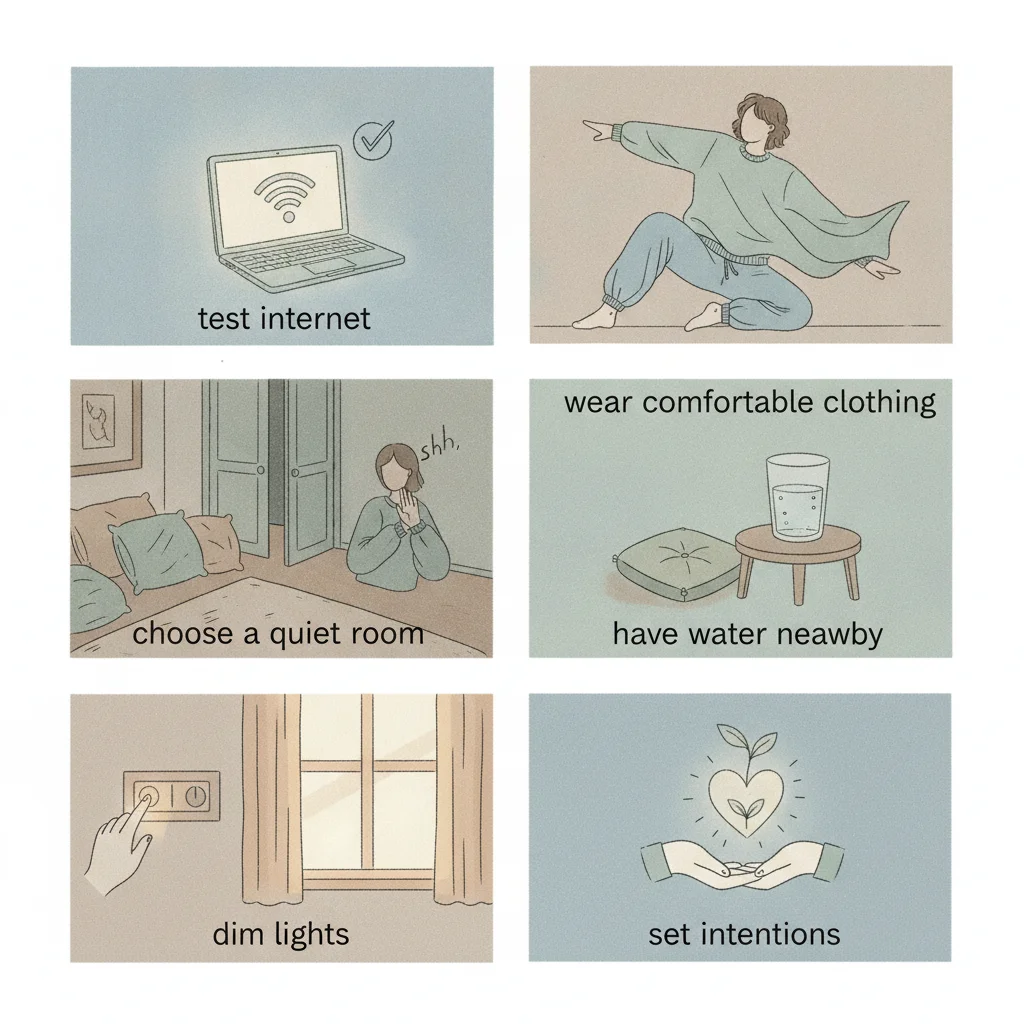
Spending twenty minutes dialing in your space prevents the sudden interruptions that snap you out of trance. Work through these practical steps before your call.
1. Optimize Your Hardware and Network Settings
Jittery video breaks concentration. In-person therapy uses physical presence; virtual work depends entirely on clear sound and a stable picture.
- Use a desktop or laptop instead of a phone. Phones invite incoming calls that cut off your audio, while a laptop offers a stable camera angle so your therapist can track your breathing and facial cues.
- Keep your device plugged into power. Battery-saver modes can throttle your computer’s audio and video mid-Session.
- Pick wired earbuds or headphones. They give you clean audio with zero lag and never drop out because of a dead Bluetooth battery.
- Test your connection speed. Aim for at least 5 Mbps upload and download speeds. If your Wi-Fi wavers, sit closer to your router or plug directly into Ethernet.
2. Choose Your Seating: The Recliner vs. Bed Rule
Don’t lie down in bed for your Session. Your brain links your mattress with sleep, and lying flat signals your body to drift off. Hypnotherapy requires focused mental engagement, not an afternoon nap.
Sit in an armchair, a supportive sofa, or an ergonomic desk chair. Make sure your head and neck stay propped up if your neck muscles loosen. Keep a light blanket nearby too, because your body temperature drops slightly as your nervous system settles down.
3. Secure Acoustic and Physical Privacy
Your mind won’t let down its guard if you’re waiting for someone to open your door. Build a hard buffer around your time.
- Tell household members you are in an uninterrupted private appointment for the next 75 minutes.
- Lock your door or put a clear sign on the handle.
- Put pets in a different room so an affectionate cat or a barking dog won’t pull you out of trance.
- Mute your phone, turn off smart home speakers, and close email tabs on your computer.
Recommended Room Checklist
- Adjust room lighting to a soft, warm level (avoid harsh overhead fluorescent bulbs).
- Close window blinds to prevent direct sunlight from glaring onto your computer screen.
- Set your thermostat to a comfortable 70°F–72°F (21°C–22°C).
- Position a box of tissues and a glass of water nearby.
4. Prepare Your Mindset and Clarify Your Objective
Hypnotherapy is teamwork. The practitioner guides you, but you supply the material. Take ten minutes before logging on to write down what you want to shift.
If you struggle with tension, notice when it strikes and how it feels in your body. If you are reviewing our Hypnotherapy services for specific habits or phobias, list the exact triggers you hit each day. Specific targets help your practitioner craft suggestions that actually stick.
In-Person vs. Virtual Hypnotherapy Sessions
Clients often ask whether remote hypnosis holds up against an in-office appointment. The data and outcomes match, but working from home offers one distinct benefit: you build change inside your actual living environment.
| Feature | Virtual Online Session | Traditional Office Visit |
|---|---|---|
| Physical Comfort | Familiar furniture, controlled temperature, and personal surroundings. | Unfamiliar clinic furniture and ambient clinic smells. |
| Post-Session Rest | Zero transit. You remain in your safe space to integrate insights. | Requires navigating rush-hour traffic immediately following trance. |
| Technical Demands | Requires reliable Wi-Fi, a webcam, and headphones. | No technology required from the client. |
| Real-World Anchoring | Anchors calm directly inside the home where stress normally happens. | Requires transferring calming states from the office back home. |
Experiencing hypnosis in your own space links calm, steady reactions directly to the rooms where your daily stress usually occurs. You don’t have to battle highway traffic right after a major emotional release. You close your laptop, grab a glass of water, and start resting immediately.
How Do You Handle Unexpected Tech Glitches During Trance?

If your internet drops mid-sentence, you will simply open your eyes on your own after a few moments of quiet. Hypnosis is focused attention, not medical anesthesia. A lost Wi-Fi signal poses zero danger to your mind or body.
Agree on a backup plan before starting. If the screen freezes, wait sixty seconds for the platform to reconnect. If it stays down, your therapist will call your phone directly. Having that backup in place removes any background worry about dropped calls.
Post-Session Protocol: What to Do in the First 24 Hours
The benefits continue long after the video feed shuts off. Your mind sorts and integrates these new perspectives across your next regular sleep cycle.
Give yourself at least thirty minutes of unstructured downtime before jumping back into high-pressure tasks. Skip the intense workout or urgent conference call right after your appointment. Drink some water, Step outdoors for fresh air, and write down any impressions that stood out. Over the next three days, pay attention to how you respond to your usual stress points. Those small, quiet shifts in behavior show that the work is taking hold.
Ready to tackle persistent stress, clear mental blocks, or reset habits that hold you back? Take the next Step today. Contact Holistic Hypno Healing to book your virtual Session and begin your work.
Frequently Asked Questions
What happens if my internet disconnects during virtual hypnosis?
If your connection drops, the sudden silence will cause your subconscious mind to notice the shift, and you will naturally open your eyes and emerge from trance within a minute or two, completely clear-headed.
Can I be hypnotized if I have trouble relaxing my mind?
Yes. Hypnosis does not require an empty mind; it works by guiding your existing focus and bypasses racing thoughts through structured somatic and verbal cues.
Should I lie down on my bed during the Session?
No, you should sit in a supportive armchair or recliner instead. Lying flat triggers conditioned sleep associations, which leads to physical sleep rather than the receptive, focused trance state needed for Hypnotherapy.
How long does a virtual Hypnotherapy Session usually take?
A standard initial appointment lasts between 60 and 90 minutes, which includes an intake discussion, the Hypnotherapy trance work, and a brief grounding debrief.